Fixing the Error: xcrun: error: invalid active developer path, missing xcrun on MacOS
— Code, MacOs, Error Handling — 2 min read
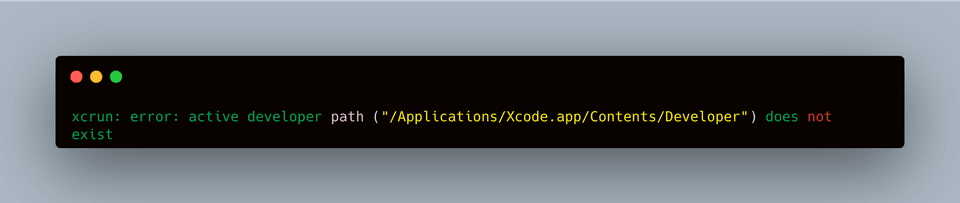
Why does the error Mac OS: xcrun: error: invalid active developer path, missing xcrun happen? The reason is that your system doesn't have Xcode installed. You may have never installed it on your Macbook, or it got uninstalled during an OS update.
So, to fix this issue, install Xcode. If you're into iOS App development, you can install the full version, and this will also resolve the issue. Download the Xcode .dmg file from the Apple developers page.
If you don't use it, like me, you can simply look for the command line tools package for Xcode, download the .dmg file, and install it. You can download it from the Apple developers page.
Fixing the Error: xcrun: error: invalid active developer path, missing xcrun on MacOS
If you don't want to download anything and just want to run a few terminal commands to fix this issue, run the following command in your terminal:
xcode-select --installThis is a command you can run in the terminal, and it will install the Xcode command line tools. When you run this command, you'll be prompted to accept the license, agree to the terms and conditions, etc.
If you see a message saying the download requires 7GB+ of space, that means you're being forced to download the full Xcode App. In that case, download the .dmg file for the dedicated command line tools package from the Apple developers page.
If you've already run the command above but the error still occurs, run the following command in your terminal:
xcode-select --resetThe command above should fix your error. However, as a next step, you need to set the path so the command line tools can run without Xcode.
xcode-select --switch /Library/Developer/CommandLineToolsIf you run into permission issues while running any of the commands above, use sudo along with the command.
sudo xcode-select --switch /Library/Developer/CommandLineToolsIf You Already Have Xcode Installed
If you already have the Xcode app installed, you just need to run the following command:
sudo xcode-select --switch /Applications/Xcode.app/Contents/DeveloperConclusion
This error can occur after an OS update and can render a previously working setup useless. However, the solutions above should fix the error you're running into. Thanks :)