7 Common Mistakes When Writing HTML Code
7 Common Mistakes When Writing HTML Code
Hello everyone, surely you're already familiar with the term HTML (Hyper Text Markup Language). HTML is a very important component in building a website. But did you know, it's not uncommon for people to make mistakes when writing HTML code. In this article, we'll discuss 7 common mistakes when writing HTML code. Check it out!
-
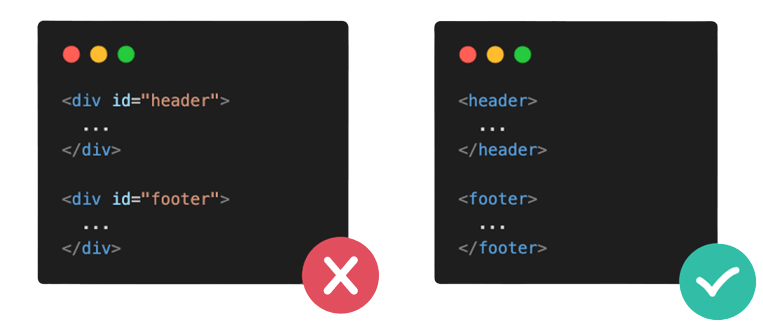
Forgetting Semantic Header and Footer
The
<div>tag has no semantic structure. So, using the<div>tag should be avoided as much as possible. Specifically for the header and footer sections, HTML already provides dedicated tags you can use.
-
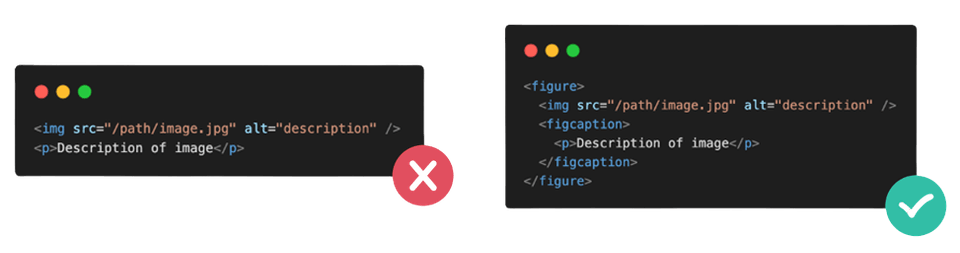
Not Using the Figure Tag
Images on a website generally have a certain description/caption. However, most people still use the
<p>tag to hold that image description. To make your code structure neater and easier to read, you can use the<figure>and<figcaption>tags.
-
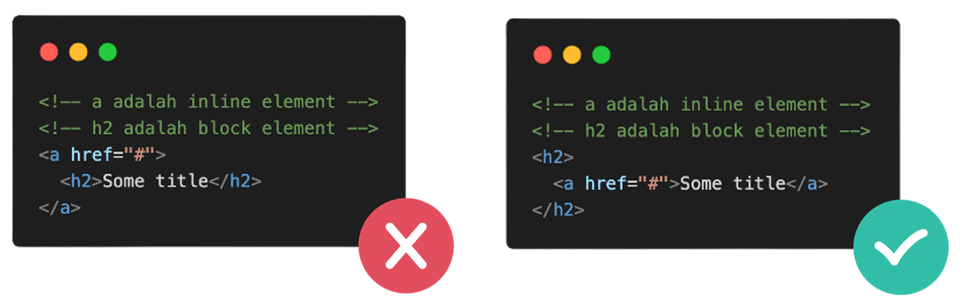
Forgetting the Hierarchy of Inline Elements and Block Elements
Don't write an inline element as a wrapper for a block element. An inline element should ideally not contain more than 1 element value.
-
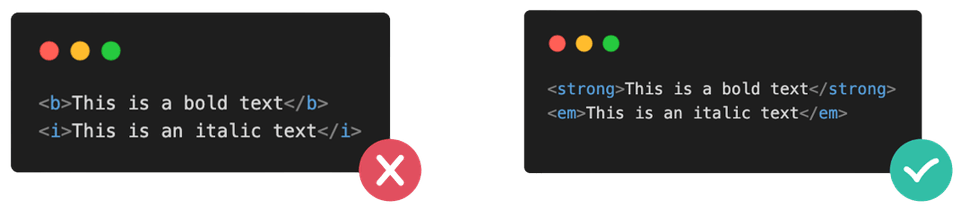
Using the
<b>and<i>TagsThe
<b>and<i>tags have no semantic meaning, just like the<div>tag. Therefore, it's best to avoid using these tags. To make text bold or italic, you can style it in a CSS file or use the<strong>or<em>tags instead.
-
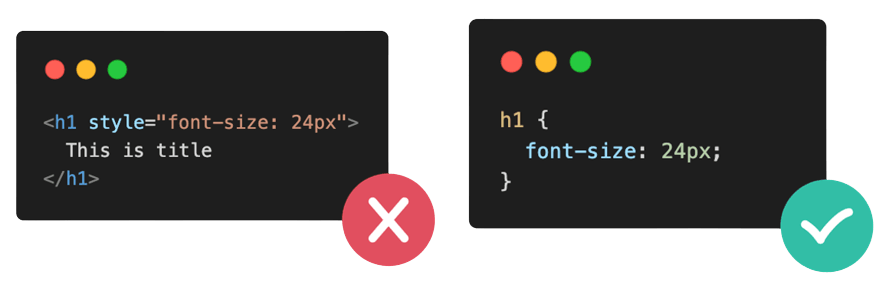
Using Inline Styles
Writing inline styles breaks the principle that HTML structure should be separate from its visual presentation (styling). Writing CSS code in a separate stylesheet file is the best approach.
-
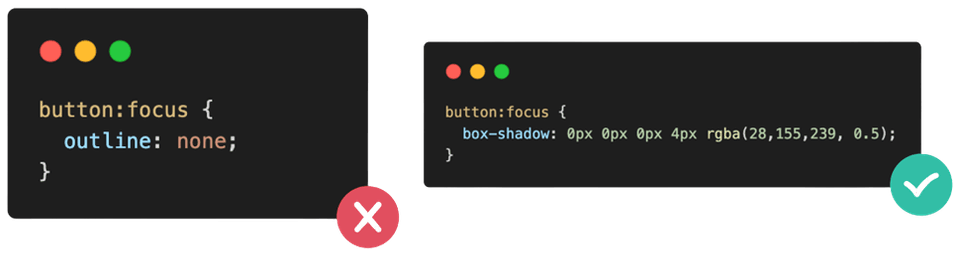
Removing the Focus Outline
The focus outline is a very important indicator for users who don't use a mouse. Therefore, it's not recommended to remove this indicator. If the default focus outline color clashes with your design colors, you can create a custom CSS style to your liking.
Tip: Use box-shadow for more flexibility
-
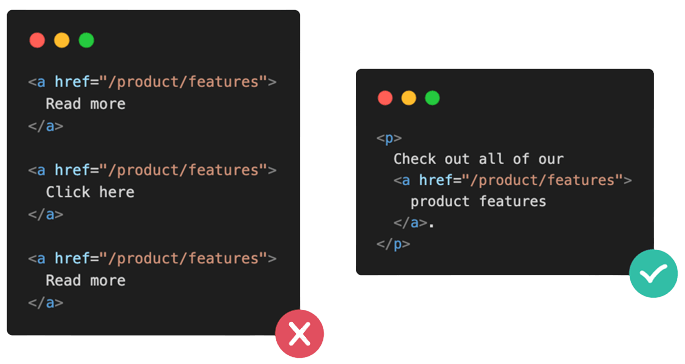
Not Using Descriptive Links
Link text should be explicit and clearly convey where the user will be directed. With descriptive text, users and search engines can more easily understand the content you're presenting and its relationship to other pages/sites.
That concludes 7 common mistakes when writing HTML code. Hopefully this short article helps you avoid mistakes and improve your skills in writing HTML code, so that browsers can better understand the content you present. See you in the next article. Thank you.